
Calendar View
Visualize and manage your content schedule with the calendar view
Overview
The Calendar View provides a visual way to plan and manage your content schedule. See all your posts at a glance, drag to reschedule, and never miss a posting window.
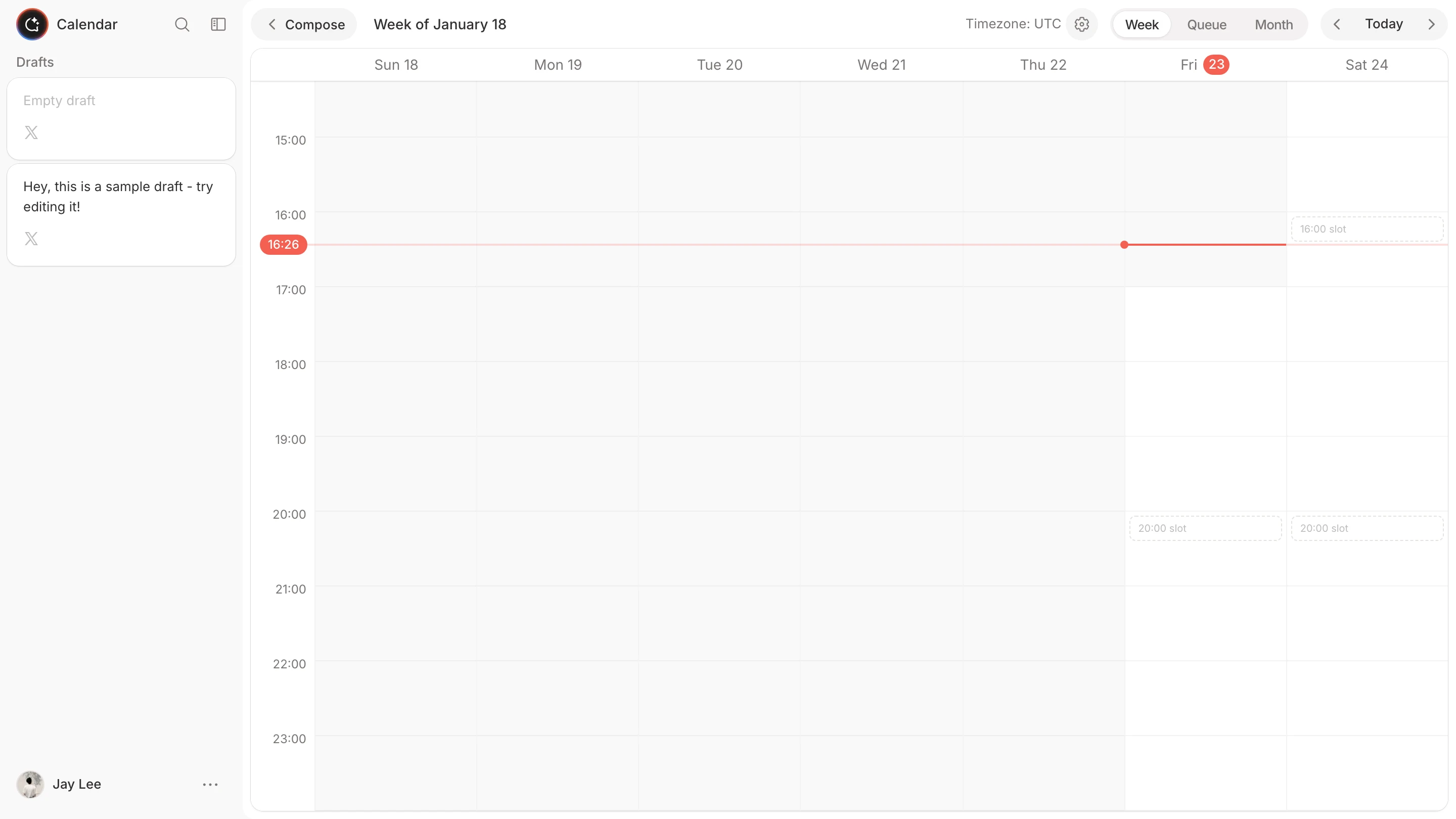
Views
Month View
See your entire month's content plan. Each day shows scheduled posts as compact cards.
- Click any day to see post details
- Drag posts between days to reschedule
- Color coding shows post status
Week View
A detailed view of your weekly schedule with time slots.
- See exact posting times
- Drag posts to different time slots
- Ideal for fine-tuning your schedule
Day View
Focus on a single day's content.
- Hour-by-hour timeline
- Perfect for busy posting days
- Quick access to edit each post
Features
Drag-and-Drop Rescheduling
Reschedule posts by dragging them to a new time:
- Click and hold any post card
- Drag to your desired date/time
- Release to confirm the new schedule
Changes are saved automatically.
Color-Coded Status
Quickly identify post status by color:
| Color | Status |
|---|---|
| Blue | Scheduled |
| Green | Published |
| Gray | Draft |
| Red | Failed |
Quick Preview
Hover over any post to preview its content without opening the editor.
Queue View
Switch to Queue View to see your upcoming posts in a list format:
- Chronological list of scheduled posts
- Quick actions for each post
- Bulk selection for batch operations
How to Use
Accessing the Calendar
- Click Calendar in the sidebar
- Choose your preferred view (Month/Week/Day)
- Navigate using the arrow buttons or date picker
Scheduling from Calendar
- Click any empty time slot
- The compose editor opens with that time pre-selected
- Write your content and confirm
Managing Posts
- Edit: Click any post to open the editor
- Reschedule: Drag to a new time
- Delete: Click the post and use the delete option
- Duplicate: Copy a post to create similar content
Tips
- Use Month View for planning, Week View for execution
- Schedule posts during your audience's active hours
- Leave gaps between posts for engagement
- Review your calendar weekly to maintain consistency