
Quick Start
Get started with xAIcreator in 5 minutes
Step 1: Create Your Account
Visit xaicreator.com and click "Get Started Free" to create your account. You can sign up using:
- Email - Create an account with your email address
- Google - Sign in with your Google account
- X (Twitter) - Sign in with your X account
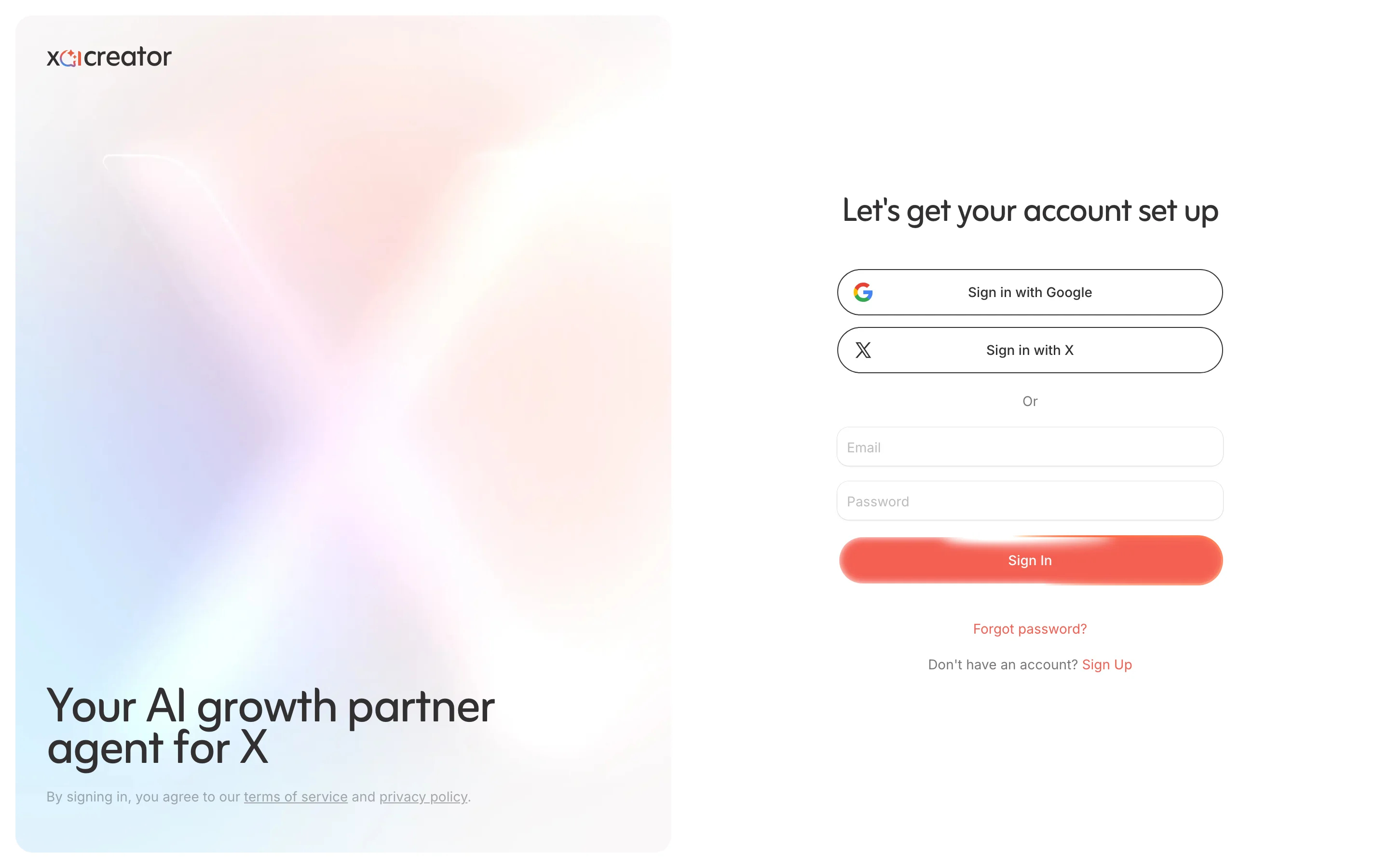
After signing up, verify your email address to unlock all features.
Step 2: Connect Your X Account
To use xAIcreator's publishing features, you'll need to connect your X (Twitter) account:
- Go to Settings > Connected Accounts
- Click Connect X Account
- Authorize xAIcreator to access your account
- Your account will now appear in the account selector
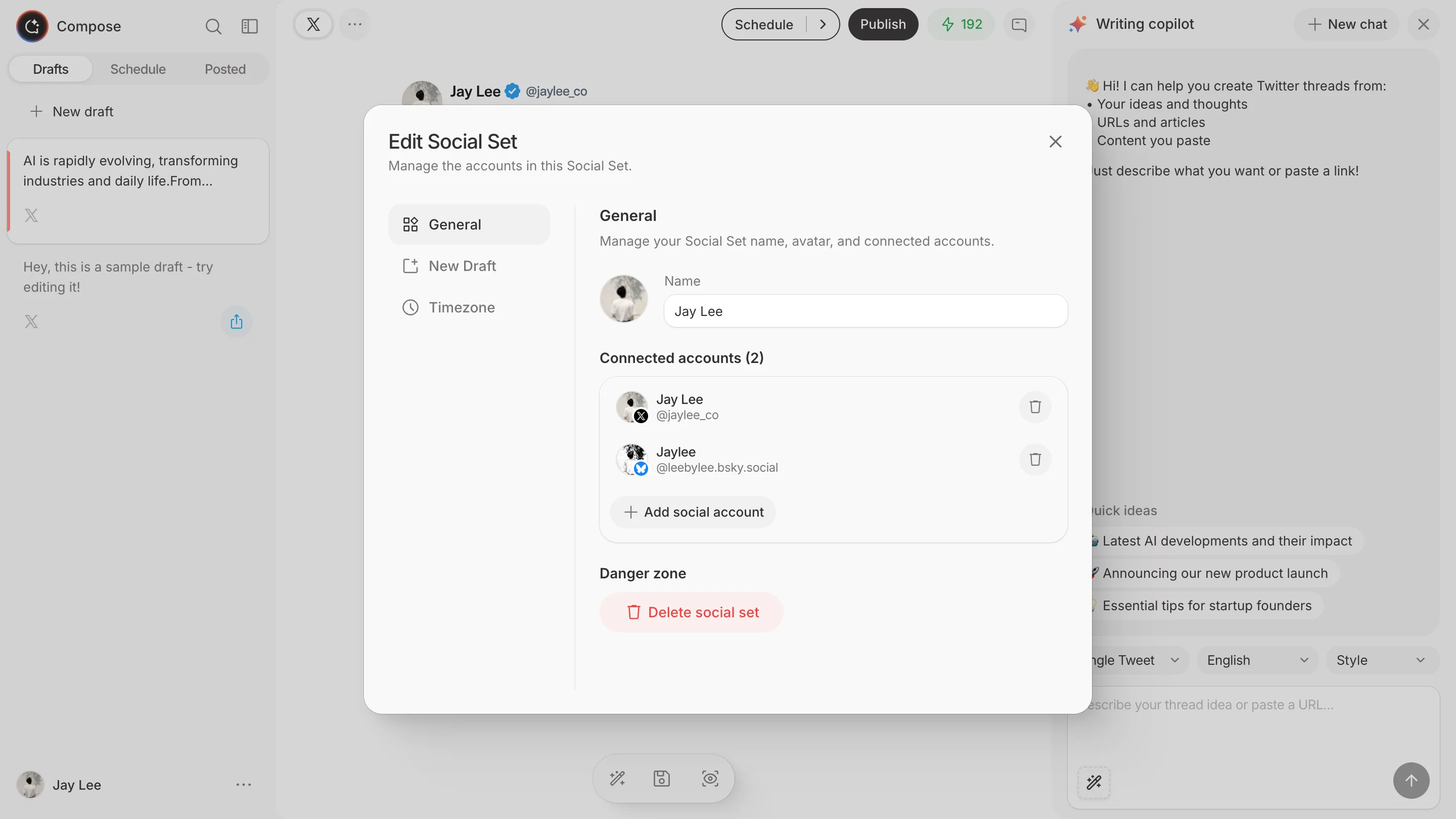
You can connect multiple X accounts and switch between them easily.
Step 3: Create Your First Tweet
Now you're ready to create content:
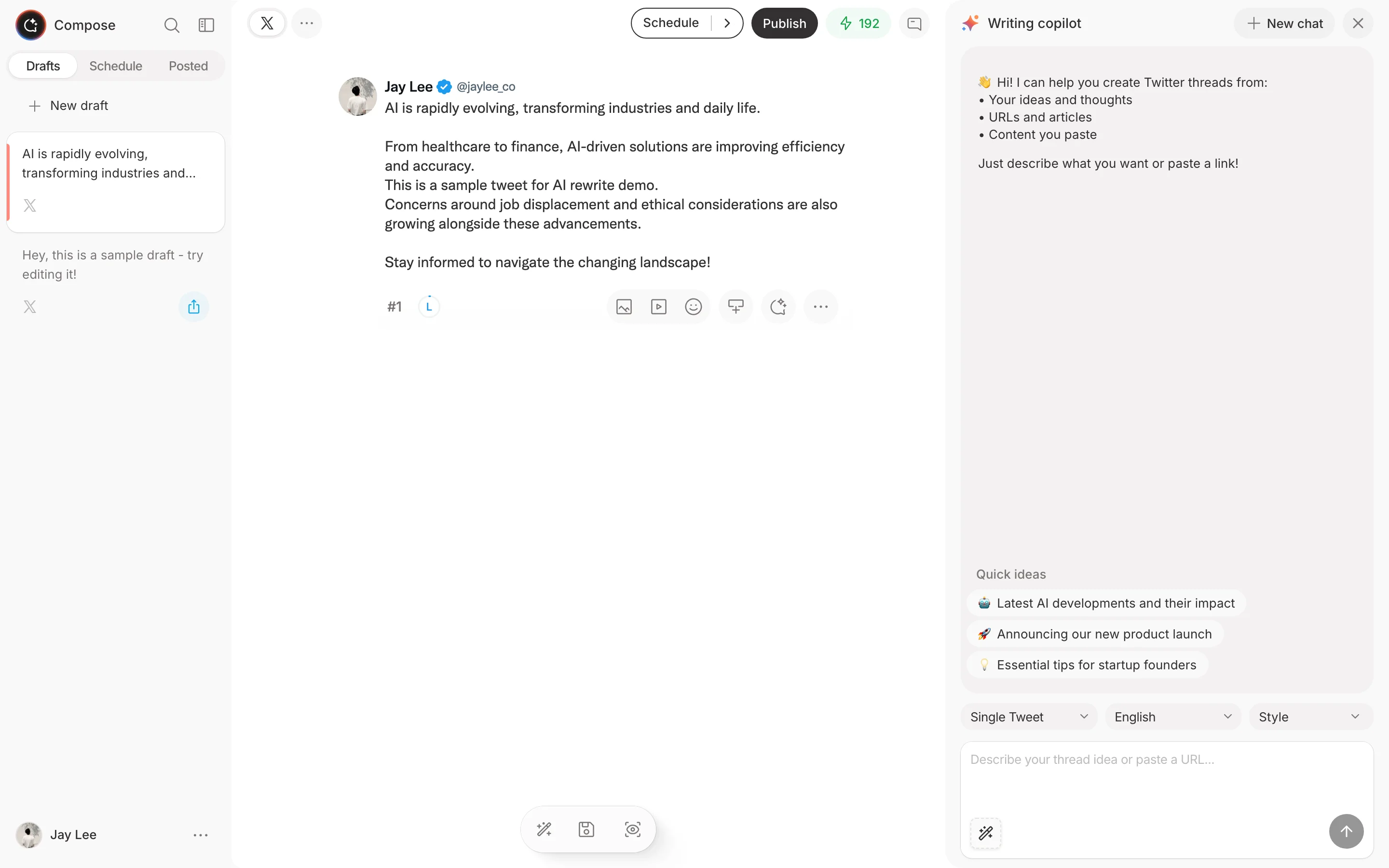
- Click Compose in the sidebar
- Type your tweet content in the editor
- Use the AI assistant to enhance your content:
- Click the AI button to get suggestions
- Ask AI to rewrite, expand, or improve your tweet
- Preview how your tweet will look
- Click Post Now or Schedule to publish
Step 4: Explore AI Features
AI Content Generation
Click the sparkle icon in the composer to:
- Generate tweet ideas based on a topic
- Rewrite content in different styles
- Create thread variations
- Optimize for engagement
Smart Scheduling
When scheduling posts:
- Choose from suggested optimal times
- Set up recurring posting schedules
- Manage your content calendar
Step 5: Monitor Performance
After posting, track your content's performance:
- Go to Dashboard to see overall metrics
- View individual tweet performance
- Analyze engagement patterns
- Identify your best-performing content
What's Next?
- Learn about the Compose feature in detail
- Set up content monitoring
- Explore AI rewriting tools
- Configure your posting schedule
Need Help?
- Check our FAQ for answers
- Contact support at [email protected]
- Join our community on X @xaicreator