
Credits
Understanding and managing your xAIcreator credits
Overview
Product Credits pay for in-product reading, publishing and AI rewriting. Existing subscription allowances and Credits purchases stay in the product balance.
The xAIcreator Data API uses a separate prepaid USD balance, including requests made by agents. Top up API balance through its own Stripe checkout. API top-ups do not grant product Credits or upgrade your subscription, and Credits cannot pay for data API calls.
What Uses Credits
AI Content Generation
Credits are consumed when you:
- Generate tweet ideas
- Rewrite content
- Create thread variations
- Optimize posts for engagement
Advanced Features
Some premium features also use credits:
- Detailed analytics reports
- Bulk content operations
- Advanced AI models
- Export functions
Credit Allowances
Free Plan
- 50 credits per month
- Basic AI features
- Standard generation quality
Pro Plan
- 500 credits per month
- All AI features
- Priority generation
- Advanced models
Business Plan
- 2,000 credits per month
- All features included
- Fastest generation
- Dedicated support
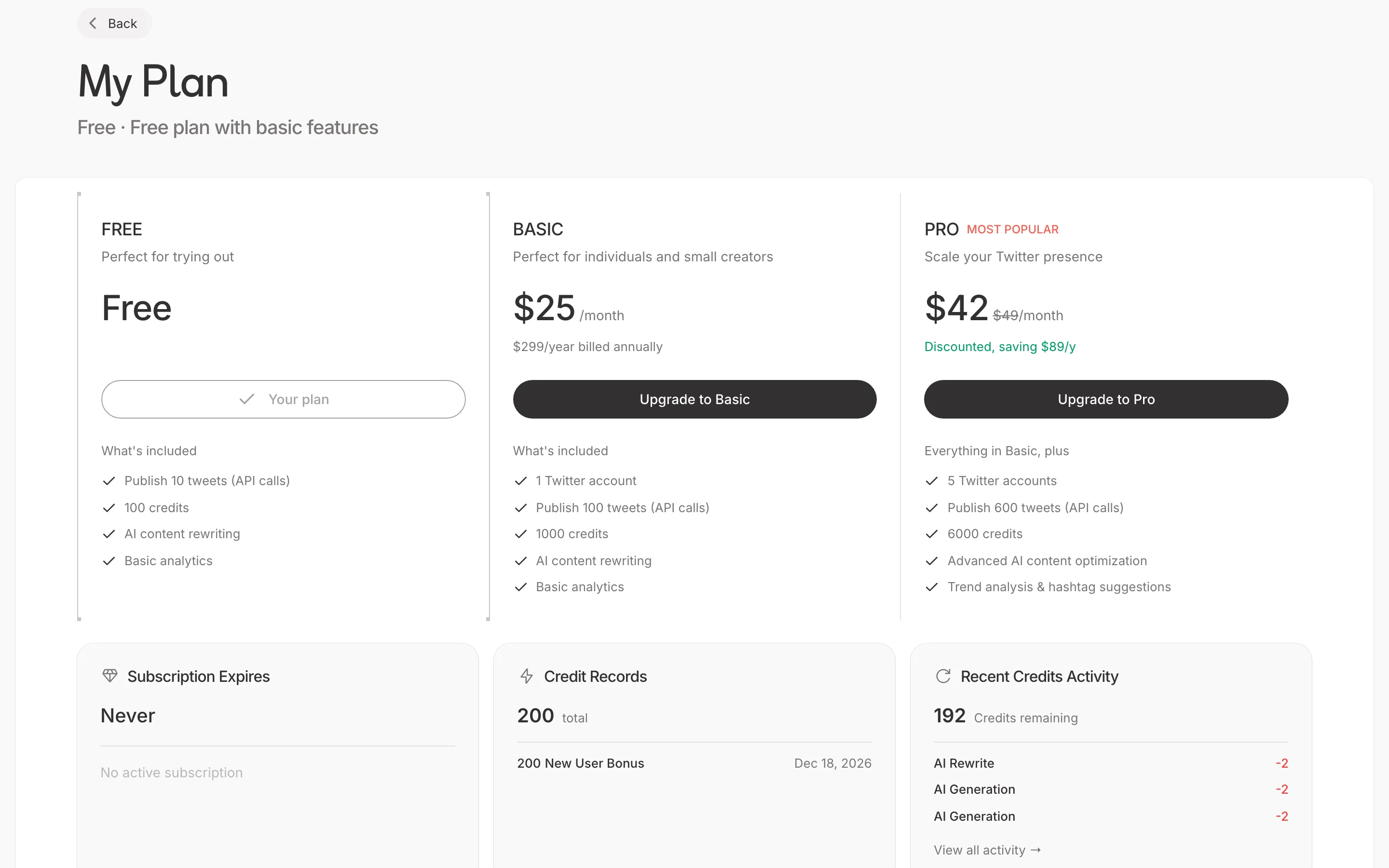
Managing Credits
Checking Balance
View your credits:
- Click your profile icon
- Select Credits
- See current balance and usage
Credit History
Track your usage:
- View transaction history
- See what features used credits
- Monitor daily/weekly consumption
- Download usage reports
Purchasing Credits
Buying Additional Credits
If you need more credits:
- Go to Settings > Credits
- Click Buy Credits
- Choose a credit package
- Complete payment
- Credits added instantly
Credit Packages
Available packages:
- 100 credits - $9
- 500 credits - $39
- 1,000 credits - $69
- 2,500 credits - $149
Subscription Upgrades
Consider upgrading if you:
- Consistently run low on credits
- Need access to more features
- Want priority support
Credit Tips
Conserving Credits
Make the most of your credits:
- Write drafts manually first
- Use AI for refinement, not creation
- Batch similar operations
- Review before regenerating
Efficient Usage
Best practices:
- Clear prompts get better results
- Save good outputs immediately
- Use templates for common tasks
- Avoid unnecessary regenerations
Credit Expiration
Monthly Credits
- Reset at the start of each billing cycle
- Unused credits don't roll over
- Check renewal date in Settings
Purchased Credits
- Never expire
- Available until used
- Carry over between months
- Used after monthly allowance
FAQs
What if I run out?
You can:
- Wait for monthly reset
- Purchase additional credits
- Upgrade your plan
Do credits transfer between accounts?
No, credits are tied to individual accounts and cannot be transferred.
Can I get a refund for unused credits?
Purchased credits are non-refundable. See our terms of service for details.