
Build a responsible Twitter automation workflow with human review, reliable post scheduling, and practical Twitter automation tools that save time without turning your account into a bot.
Introduction
Good Twitter automation removes repetitive work. Bad automation removes judgment. The difference matters because drafting a week of posts, approving them, and scheduling them is very different from running a bot that sends unsolicited replies or repeats the same message across accounts.
This guide explains what to automate, where a human should stay in control, and how to evaluate Twitter automation tools. It focuses on a durable workflow for creators and teams, not shortcuts that put an account or its audience at risk.

Automate preparation, organization, and approved publishing. Keep research, factual checks, audience judgment, and final approval human.
What Twitter Automation Actually Means
Twitter automation is any workflow in which software handles part of creating, organizing, publishing, or measuring activity on X. That can include AI-assisted drafts, a content calendar, approved scheduled posts, batch import, and performance reporting.
The term also covers riskier behavior such as automated replies, likes, follows, or duplicated posts. X's automation rules require automated activity to use the X API and prohibit non-API website scripting. The rules also restrict spammy or duplicated behavior.[1]
A useful dividing line is intent. A scheduler helps you deliver content you chose to publish. An engagement bot imitates human interaction at scale. The first can support a thoughtful content operation; the second can create policy, trust, and brand problems.
What You Can and Cannot Safely Automate
Start by separating content operations from simulated engagement. Drafting, review, scheduling, and reporting can have clear owners and approval points; automated social actions often operate without that context.
Good candidates for automation
- Draft preparation: generate options, summaries, hooks, and platform-specific first drafts.
- Content organization: place approved posts into a calendar and separate drafts from scheduled items.
- Batch import: bring prepared posts, dates, time zones, and media references into one workspace.
- Approved publishing: send reviewed posts through an authorized API connection.
- Reporting: collect account-level X analytics so a person can decide what to change.
Activities to avoid or treat with strict caution
- Automated likes: X's automation rules prohibit automated liking.[1]
- Aggressive follow or unfollow actions: bulk or indiscriminate behavior can violate platform rules.
- Unsolicited automated replies: automated reply systems face specific consent and approval requirements.
- Duplicate posts across accounts: do not publish identical or substantially similar messages across several accounts.
- Deceptive identity or coordinated behavior: X's authenticity policy prohibits platform manipulation and misleading account behavior.[2]
Write these boundaries into the team's publishing process. If a proposed action cannot be reviewed, attributed, and stopped easily, it should not be part of the automation workflow.

A Practical Human-in-the-Loop Workflow
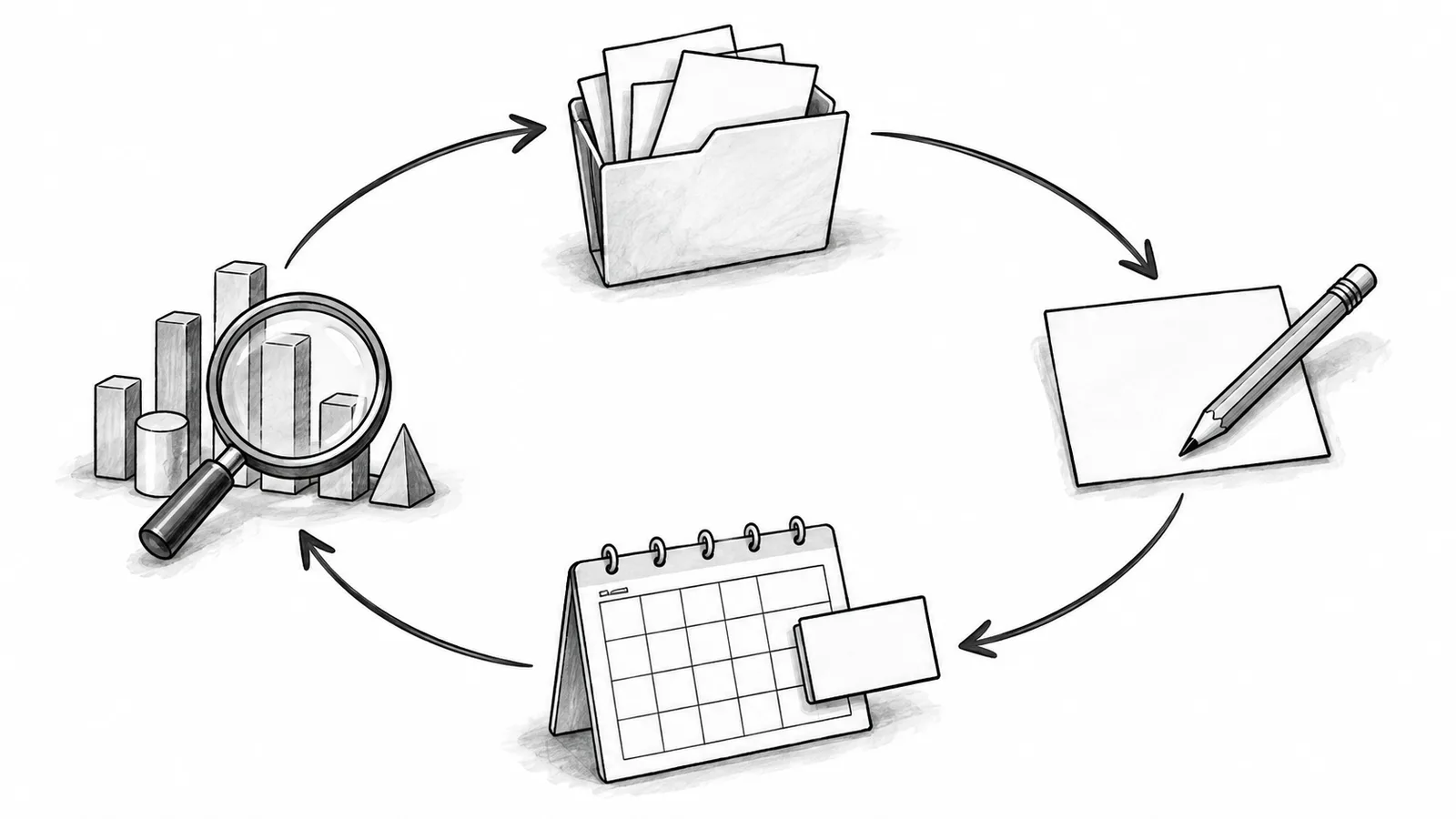
A dependable workflow gives software a narrow job at each stage and assigns one person responsibility for the final decision. The following sequence keeps sources, drafts, approval, and results connected.
- Choose the goal and audienceDefine what the post should help the reader understand or do. Do not ask an AI system to invent the strategy.
- Collect reliable source materialSave product notes, original research, campaign details, and authoritative links beside the draft.
- Generate several draft optionsUse AI to explore hooks and structures, then remove unsupported claims and generic language.
- Edit in the account's real voiceAdd an example, point of view, or experience that belongs to the person or brand publishing it.
- Review policy and factual riskCheck links, names, disclosures, media rights, claims, and whether the post could be mistaken for automated spam.
- Schedule the approved versionUse an authorized connection. X documents its Create Post endpoint for publishing through the API.[3]
- Measure and reviseReview actual account data, then update the next batch. Do not let an assumed “best time” replace your evidence.
For more ways to use AI during preparation, read our guide to AI tools for Twitter marketing. If you are designing a broader calendar, the social media scheduling guide covers planning across channels. For a concrete native and multi-account process, see how to schedule Twitter posts.
How to Evaluate Twitter Automation Tools
A long feature list is less important than a clear boundary between assistance and autonomous engagement. Evaluate tools with the following questions:
- How does the account connect? Prefer an authorized X integration with understandable permissions. Avoid tools that ask for a password or script the website.
- Can a human approve every post? Draft, review, and scheduled states should be visible and distinct.
- Can each account use different copy? Multi-account support should not encourage duplicate posting.
- What happens when publishing fails? The tool should show the error and preserve the draft instead of silently retrying forever.
- Are platform limits respected? X applies endpoint-specific rate limits, so responsible tools need to handle limit responses predictably.[4]
- Can you export or inspect your work? A visible calendar and readable draft history make mistakes easier to catch.
Be skeptical of products promising guaranteed virality, invisible bots, or unlimited engagement. Those promises are not a substitute for audience knowledge, and they can encourage precisely the behavior a sustainable workflow should prevent.

Automate with xAIcreator Without Losing Your Voice
xAIcreator is designed around content preparation and scheduled publishing, not automated engagement. You can draft with AI assistance, save unfinished work, review the final copy, and arrange approved posts in a visual calendar.
For larger campaigns, Excel batch import can bring in content, dates, time zones, Social Sets, image URLs, and community targets. Multi-account scheduling reduces browser switching, while platform-specific versions help prevent identical copy from being pushed everywhere.
A simple weekly routine looks like this:
- Monday: collect source material and create draft options.
- Tuesday: edit for voice, facts, and each account's audience.
- Wednesday: approve and schedule the next batch.
- Friday: review X analytics and record lessons for the following week.
xAIcreator does not automate likes, replies, follows, viral-content detection, or “optimal time” predictions. That boundary keeps the product focused on a safer and more controllable publishing workflow. For a broader tool comparison framework, see our guide to choosing a social media post scheduler.
Common Twitter Automation Mistakes
Publishing AI output without a factual review
AI can produce confident errors and invented specifics. Keep the source beside the draft and require a person to verify every factual claim before scheduling.
Using one message for several different audiences
Even when the underlying campaign is shared, each account needs its own hook, context, and call to action. This improves relevance and reduces duplication risk.
Automating interaction instead of publishing
Likes, unsolicited replies, and aggressive follow behavior are not content scheduling. Treat them as separate, high-risk categories and keep them outside the workflow.
Ignoring failed posts and rate limits
A failed publish should remain visible and reviewable. Repeated blind retries can create duplicates or consume more requests, so diagnose the response before trying again.
Frequently Asked Questions
Is Twitter automation allowed?
Some automation is allowed when it follows X's rules and uses the X API. Specific behaviors, including automated likes, duplicate posting, and unsolicited automated replies, are prohibited or restricted. Review the current rules before enabling any automated action.
What should I automate first?
Start with low-risk work: collecting ideas, creating draft options, organizing a content calendar, and scheduling posts that a person has already approved.
Can AI run my Twitter account automatically?
AI can assist with drafts and organization, but fully autonomous publishing and interaction removes important factual, policy, and audience checks. Keep a person responsible for the final post.
How do I avoid sounding automated?
Edit every draft with a specific example, a real point of view, and language your audience recognizes. Vary the opening and structure, and remove generic filler before scheduling.
Conclusion
The best Twitter automation workflow is deliberately incomplete. Software can prepare drafts, organize calendars, import campaigns, and publish approved posts. A person still chooses the message, verifies the facts, adapts it for the audience, and learns from the result.
Build a repeatable publishing workflow
Use xAIcreator to prepare drafts, manage multiple accounts, review content, import campaigns, and schedule approved posts from one visual calendar.
Sources & Further Reading
- X Help: Automation Development RulesOfficial requirements and restrictions for automated activity on X.
- X Help: Authenticity PolicyOfficial policy covering platform manipulation and misleading behavior.
- X API: Create PostsOfficial documentation for publishing posts through the X API.
- X API: Rate LimitsOfficial explanation of endpoint-level request limits and responses.
Yee is the founder of XAICreator, an AI-powered social media marketing platform. He specializes in building tools that help creators and marketers grow their presence on X (Twitter).
With expertise in AI, SEO, and content marketing, Yee has helped hundreds of users optimize their social media strategy and increase engagement through data-driven insights.